App details
- Version
- 5.8.3
- Size
- 48.24 MB
- Updated
- June 11, 2025
- Requires
- Windows 98
- Language
- English | Arabic | Danish | Greek | Japa...
- License
- Trial version
- Developer
- DJMixerSoft
- Category
- Windows OS
SoftPas in:
This product is also available in the following languages:
About DJ Mixer Express
Download DJ Mixer Express – intuitive DJ mixing software for Windows
Overview: A Fast‑Track Solution for DJs of Every Level
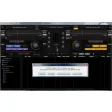
DJ Mixer Express positions itself as a practical, budget‑friendly DJ mixing tool that doesn’t sacrifice the core capabilities a live‑performance or studio‑based DJ needs. Developed exclusively for Windows, the program delivers a clean, graphical interface where every control is labeled clearly, allowing beginners to jump in without a steep learning curve while still giving seasoned performers enough depth to craft nuanced sets. The software supports all major audio containers—including MP3, WAV, AIFF, MP4, and AVI—so you can bring any track from your library straight into the deck. One of the standout philosophies behind DJ Mixer Express is automation: routine tasks such as beat‑matching, gain adjustment, and tempo monitoring can be handled automatically, freeing your hands for creative decisions like effects layering or crowd interaction. While it isn’t packed with the exhaustive plugin ecosystem found in premium suites, its core feature set covers everything most DJs require for a polished set, from precise cue‑point handling to continuous loop playback. In short, DJ Mixer Express offers an affordable entry point to professional‑grade mixing without demanding a high‑end PC or a massive learning investment.
Core Features & Automation That Keep the Beat Flowing
- Intuitive drag‑and‑drop track loading for instant cueing.
- Automatic beat‑matching engine that aligns BPMs in real time.
- Gain and volume automation to maintain consistent output levels.
- Tempo monitoring with visual BPM display and fine‑tune controls.
- Accurate cue‑point creation and storage for quick recall.
- Continuous cue looping for seamless transition practice.
- Support for MP3, WAV, AIFF, MP4, AVI, and other popular formats.
- Customizable hotkeys and drop‑down menus for advanced functions.
- Built‑in visual waveform display for precise track alignment.
- Lightweight footprint that runs smoothly on modest Windows PCs.
The automation backbone of DJ Mixer Express is particularly valuable during high‑energy gigs where split‑second decisions matter. By delegating beat‑matching to the software, you avoid the common pitfalls of drifting tempos, and the gain‑automation ensures that track transitions remain loudness‑consistent, reducing listener fatigue. The cue‑point system also benefits from an intuitive layout: you can set multiple points per track, label them, and jump between them with a single keystroke. For those who enjoy layering loops, the continuous cue loop feature lets you repeat a segment indefinitely, perfect for building tension before a drop. Although the suite does not include a full effects rack, the focused feature set means the program stays responsive, even on older hardware, making it a reliable choice for mobile DJs who travel with a single laptop.
Installation, Usage & Compatibility – Getting Started in Minutes
Step‑by‑Step Installation Guide
1. Download the installer from the official DJ Mixer Express website. The file is a compact .exe package (approximately 45 MB) and is signed with a trusted certificate, ensuring a secure download.
2. Run the installer and follow the on‑screen prompts. The wizard asks for a destination folder, offers to create a desktop shortcut, and optionally registers the program as the default player for supported audio formats.
3. Complete the setup by clicking “Finish.” The application will launch automatically, prompting you to run a brief “First‑Run Wizard” that scans your music library and creates an initial playlist.
First‑Run Configuration
The wizard walks you through selecting your primary audio interface (USB sound card, built‑in laptop output, or external DJ controller). It also offers a quick tutorial on using the drag‑and‑drop deck, setting cue points, and enabling the automatic beat‑matching mode. All settings are stored in a lightweight configuration file, making future launches instantaneous.
System Requirements & Operating System
Windows 10 (64‑bit) or later; minimum 2 GB RAM, 500 MB free disk space, and a sound card that supports ASIO or WASAPI for low‑latency output.
Because the software is built on native Windows APIs, it integrates smoothly with most DJ controllers that offer standard HID or MIDI mapping. If you use a proprietary controller, you can assign custom commands via the built‑in mapping editor. Overall, the installation process is designed to be frictionless, letting you focus on mixing rather than troubleshooting.
Pros, Cons, FAQ, and Final Verdict – Is DJ Mixer Express Right for You?
Pros & Cons
- Pros:
- Affordable price point with a free trial.
- Automation of beat‑matching and gain reduces manual workload.
- Supports all major audio formats, eliminating conversion hassles.
- Lightweight design runs well on modest Windows PCs.
- Intuitive UI ideal for beginners while still offering depth for pros.
- Cons:
- Lacks a built‑in effects suite (reverb, delay, filters).
- No native macOS, Linux, Android, or iOS version.
- Advanced DJ controller integration requires manual mapping.
- Feature set is smaller than premium competitors like Serato or Traktor.
Frequently Asked Questions
Can DJ Mixer Express run on a laptop without a dedicated sound card?
Yes. The software works with the default Windows audio driver, but for professional‑grade latency you’ll benefit from an ASIO‑compatible external sound card.
Is there a free trial available?
A 30‑day fully functional trial can be downloaded from the official site. No credit card is required.
How does the automatic beat‑matching compare to manual syncing?
The algorithm achieves sub‑beat accuracy in most cases, making it comparable to manual syncing for most genres. Complex tracks with irregular phrasing may still need a manual tweak.
Can I export my cue points and playlists?
Yes. DJ Mixer Express lets you save cue‑point data and playlists as XML files, which can be imported into other DJ software.
Is there ongoing support and updates?
The developer releases minor updates quarterly and major feature upgrades annually. Support is provided via email and an online knowledge base.
Conclusion & Call to Action
DJ Mixer Express delivers a compelling mix of affordability, ease of use, and essential automation that makes it a strong contender for anyone who wants to focus on performance rather than technical minutiae. While power users may miss an integrated effects rack, the software’s lightweight footprint and reliable beat‑matching engine more than compensate for that omission. If you’re a bedroom DJ, a mobile entertainer, or even a semi‑professional looking for a cost‑effective platform, DJ Mixer Express is worth a download and a test run. Download the free trial today, set up your first deck, and experience how automation can elevate your mixes without breaking the bank.
Guides & Tutorials
How to install DJ Mixer Express
- Click the Download button above.
- Once redirected, accept the terms and click Install.
- Wait for the DJ Mixer Express download to finish on your device.
How to use DJ Mixer Express
This software is primarily used for its core features described above. Open the app after installation to explore its capabilities.
User Reviews
No reviews yet. Be the first to share your experience.
You may also like
more
Llama 2
Free-to-use large language model As the new addition to Meta’s arsenal of langua...

NotebookLM
Revolutionizing the note-taking and idea-generation process NotebookLM is an exp...

Github co pilot
AI-inspired software development and coding platform GitHub Copilot is a browser...

Google Gemma
Google’s lightweight AI models Introducing Google Gemma , a family of cutting-ed...

AI Image Enlarger
A free app for Windows, by ai-image-larger. AI Image Enlarger is a free software...

DALL E
AI-driven text-to-image transformation engine DALL·E is a free graphic and desig...